Buying Guide
USB-C cable supplier comparison checklist
By Cusket Editorial · Published · Updated
A product-level checklist for comparing USB-C cable suppliers by connector specs, certification claims, MOQ, packaging, lead time, and quote assumptions.
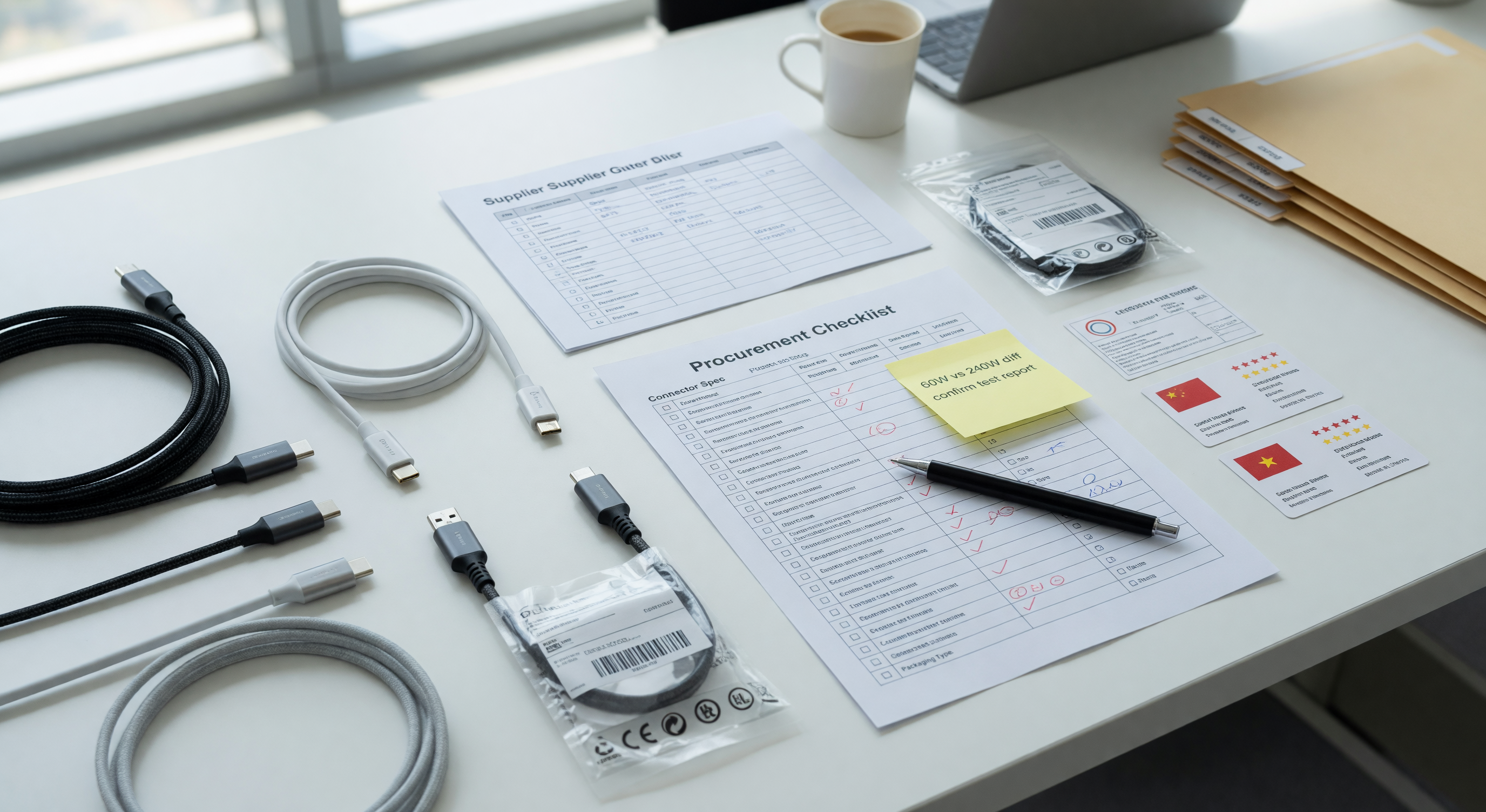
Match the cable spec before comparing price
For USB-C cables, the purchasing risk is usually hidden in the specification: charging wattage, data speed, connector durability, jacket material, certification claims, retail packaging, and whether the cable is being sold for resale, device bundling, or internal use. Compare suppliers only after the exact cable expectation is clear.
Product specs to lock before comparing suppliers
Create one specification sheet for every cable variant. Include connector type on each end, cable length tolerance, outer diameter, jacket material, color, strain relief style, connector shell material, pin configuration, power rating, data rate, shielding requirement, and whether an e-marker chip is required. For charging cables, state the current and wattage target, such as 3 A 60 W or 5 A 100 W. For data cables, state USB 2.0, USB 3.2 Gen 1, USB 3.2 Gen 2, Thunderbolt-compatible, or charge-only. If the cable will ship with electronics, include the host device, adapter, and packaging plan so the supplier does not quote an underbuilt generic cable.
Ask suppliers to provide drawings or construction notes that explain conductor gauge, shielding, insulation, overmold dimensions, and bend-cycle expectations. A cable used at a retail counter, workstation, classroom cart, hotel room, or industrial enclosure may need stronger strain relief than a consumer giveaway. If the cable will carry a brand name, define print method, logo position, Pantone color, barcode, retail sleeve, warning label, and country-of-origin marking before the quote is final.
MOQ and price tier logic
Price tiers should be read as a model, not a promise. A supplier may show one unit price at sample quantity, another at carton quantity, and a lower number at pallet or container quantity. Your landed cost should include setup charges, tooling, artwork, testing, labeling, export packing, freight, duties, payment fees, and the cost of quality failures. The lowest unit price is rarely the lowest total purchase cost if it forces the wrong MOQ, hides a long lead time, or excludes required documentation. USB-C cable suppliers often price by raw material batch, connector inventory, overmold tooling, testing time, and packaging labor. Typical tier discussions might be sample units, 500 pieces, 1,000 pieces, 3,000 pieces, and 10,000 pieces, but the useful tier depends on how many variants you need. Five colors at 500 pieces each may be more expensive than one color at 2,500 pieces because each variant adds setup and packing complexity.
Ask whether the MOQ is per SKU, per color, per length, per plug combination, or per purchase order. Also ask whether mixed SKUs can share a carton, master carton label, or shipping booking. If a supplier offers a dramatic discount at a higher tier, check whether the discount assumes looser testing, bulk packaging, slower production, or a different cable construction. Compare the quoted price with the failure cost of returns, support tickets, device damage claims, and replacement shipments.
Sample and proofing path
For custom or compliance-sensitive items, do not skip the proof path. Ask for a pre-production sample, golden sample, digital proof, material certificate, test report, or dimensional drawing before mass production. Store the approved proof with the quote so receiving, support, and reorder teams know what was actually accepted. For USB-C cables, request a golden sample for each electrical class, not only each color. Test charging wattage with the intended adapter and device, data transfer with the intended host, plug fit, connector retention, bend stress near the overmold, jacket scuffing, printed logo durability, and barcode readability. If the cable claims 5 A, high-speed data, USB-IF certification, Thunderbolt support, or special compliance, ask for documentation that names the exact model or construction being quoted.
A sensible path is: written spec sheet, supplier drawing, engineering sample, buyer test, packaging proof, pre-production sample, production start, random inspection, and final carton photos. Keep the approved sample description in the RFQ or order notes so the receiving team can reject substitutions.
RFQ questions to ask
- What exact USB version, charging wattage, current rating, and data capability are included in the quoted price?
- Is an e-marker chip included when required, and can you identify the chip or test result?
- What conductor gauge, shielding, jacket material, and outer diameter will be used?
- Is the MOQ per length, color, connector type, or total order?
- Which tests are done on every unit, on each batch, or only on samples?
- Are retail packaging, barcode labels, country-of-origin labels, and master carton labels included?
- What is the lead time for samples, pre-production approval, mass production, and shipment booking?
- Which delivery term is quoted, and what costs are excluded?
Supplier red flags
Red flags include vague product names, copied specification sheets, missing certification numbers, resistance to samples, unclear ownership of tooling, price breaks that change after questions, no written lead time, and quotes that omit packaging or delivery responsibility. A good supplier may still need clarification, but they should be able to document what they will make, when they will make it, and what is included in the price. For USB-C cables specifically, be careful with suppliers who use phrases like fast charging without naming wattage, data cable without naming data rate, certified without a traceable certificate, or 100 W without mentioning 5 A and e-marker requirements. Also watch for product photos showing braided cable while the quote assumes PVC, or a quote that changes connector material after you request drawings.
How to use Cusket for the next step
Cusket is most useful for this kind of purchase when the buyer can move from a checklist into product discovery, seller comparison, RFQ, cart, or checkout without losing the commercial assumptions. Use the Cusket guide hub for broader sourcing context, then open product search or the relevant category page when you are ready to compare live listings. Open USB-C cable search with your target wattage and length, compare visible MOQ and seller notes, then shortlist suppliers that can answer the RFQ questions above. For adjacent electronics sourcing, review the power supplies and chargers checklist and the delivery terms guide before accepting a quote.
Quote comparison fields to score
Build a side-by-side scorecard with columns for cable class, length tolerance, conductor gauge, e-marker inclusion, connector shell, strain relief, jacket material, data rate, wattage, testing method, certificate evidence, sample cost, MOQ per variant, unit price at each tier, packaging, lead time, and delivery term. Score suppliers on evidence quality as well as price. A supplier that can show drawings, batch tests, and consistent packaging may deserve a higher landed-cost score than a cheaper supplier that only sends catalog photos.
Acceptance criteria before purchase
Before you approve the order, write down the minimum pass conditions: charging wattage confirmed on target devices, data transfer confirmed where required, plugs fitting without looseness, no exposed molding defects, barcode and retail labels readable, and cartons able to protect the cable during shipment. Define what happens if the production lot uses a different jacket, connector shell, chip, or package than the approved sample. This makes the checklist useful for receiving and support, not only sourcing.